Cactus and Succulents Procreate Stamps: A Practical Guide to Efficient Design
Digital illustration often demands a balance between artistic flair and repetitive precision. When you are designing a pattern for apparel, creating a logo for a new brand, or crafting greeting cards for a baby shower, consistency is key. This is where Cactus and Succulents Procreate Stamps become an invaluable asset for creators on the iPad. These tools allow you to place identical, hand-drawn elements instantly, ensuring that your cacti and succulents look uniform across every project without the tedious need to redraw them from scratch.
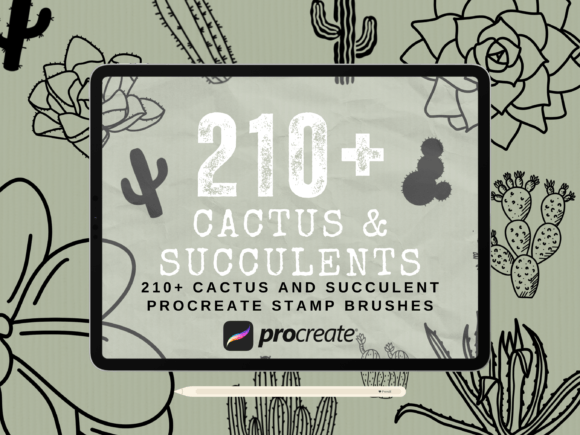
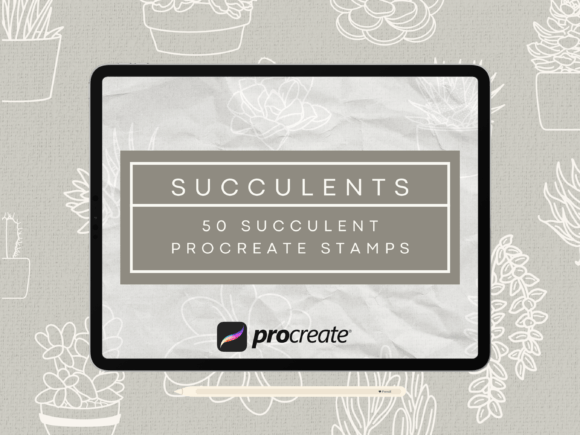
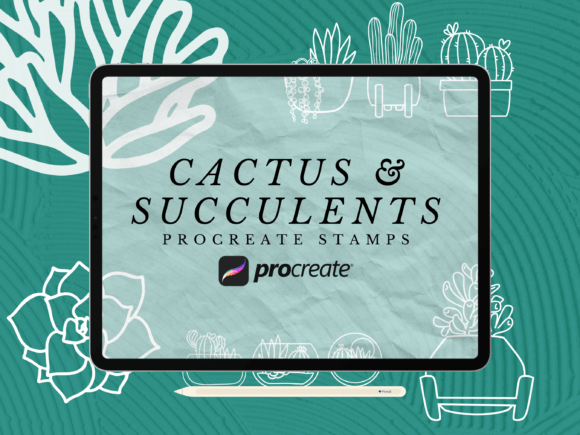
The 42 Procreate Cactus and Succulent Stamps Brush Set, created by HalieKStudio, offers a curated collection of boho-style illustrations specifically designed for the Procreate application. Whether you are a seasoned graphic designer or a hobbyist looking to make a cute succulent shirt, these stamps streamline the workflow significantly. However, like any digital tool, their effectiveness depends entirely on understanding how they function and avoiding common pitfalls that can derail a project.
Understanding the Non-Pressure Sensitive Nature of Stamp Brushes
One of the most frequent misunderstandings among new users involves the mechanics of stamp brushes versus traditional drawing brushes. Many artists approach a new brush set expecting the same fluidity as a pencil or marker tool, anticipating that pressure sensitivity will alter the size or opacity of the stroke. It is crucial to recognize early on that Cactus and Succulents Procreate Stamps in this specific collection are non-pressure sensitive.
This means that regardless of how hard or soft you press with your Apple Pencil, the image stamped onto the canvas remains exactly the same size and opacity. While this might seem limiting at first glance, it is actually a feature designed for precision. If you attempt to use these brushes expecting variable line weights, you will likely end up with inconsistent results that ruin the professional look of your design. The "stamp" action is binary: you tap, and the full image appears. Understanding this distinction prevents frustration and allows you to leverage the tool for what it does best—repeating exact assets.
Why Consistency Matters in Commercial Design
The primary advantage of using non-pressure sensitive stamps lies in commercial applications such as print, signage, and apparel. Imagine designing a pattern for a sweatshirt where the cactus motif needs to repeat seamlessly. If you were drawing each cactus by hand, slight variations in shape or size would be inevitable, potentially leading to a disjointed pattern. With the 42 different images in this set, you can ensure that every element matches perfectly.
This consistency is particularly vital for logos and branding. A logo requires absolute uniformity; a slightly larger cactus on one side of a sign compared to the other looks unprofessional. By utilizing these pre-made stamps, you eliminate human error in scaling and shaping, allowing you to focus on composition and color rather than redrawing basic shapes.
Common Mistakes When Downloading and Installing Brush Sets
Even after recognizing the utility of the tool, many creators stumble during the acquisition and installation phase. The description notes that these files are made for Procreate on iOS devices, but the process of getting them into the app can be tricky if not done correctly. A common mistake is attempting to import the file directly without checking the format compatibility.
Procreate brushes typically come in a specific file extension (usually .brushset). If you download a compressed archive and try to open it directly, the app may not recognize it. You must ensure you extract the correct file before importing. Furthermore, users sometimes overlook the version requirement. This set is best compatible with Procreate 5 or newer. If you are running an outdated version of the app, the brushes may fail to load, appear distorted, or lack the necessary layer effects. Always verify your app version before purchasing or downloading to avoid wasted time and potential refund hassles.
Avoiding Workflow Bottlenecks with Proper Tool Selection
Another area where creators often make poor decisions is in how they integrate these stamps into their broader workflow. Because these are static images, some users try to force them into contexts that require organic variation. For instance, trying to create a watercolor background effect using a hard-edged cactus stamp will result in a flat, unnatural look.
To get the best results, treat these stamps as vector-like assets within a raster environment. Use them for foreground elements, distinct icons, or repeating patterns. If you need a softer edge, apply a blur filter to the layer containing the stamp after placement, rather than trying to achieve it through the brush itself. Additionally, do not rely solely on the default colors. The strength of this collection lies in its versatility; you can recolor the layers to match your specific palette for a succulent greeting card or a tattoo design. Failing to manipulate the color settings limits the potential of the 42 unique designs included in the pack.
Practical Tips for Maximizing Efficiency
To truly benefit from the 42 Procreate Cactus and Succulent Stamps Brush Set, consider the following practical approaches:
- Organize Your Layers: Since you will likely be placing multiple stamps, keep each element on a separate layer. This makes it easy to move, resize, or delete individual plants without affecting the rest of your composition.
- Test Scale Before Committing: Even though the stamp size is fixed by the brush setting, you can resize the entire layer. Always test the scale of the cactus against your canvas dimensions before filling the page.
- Combine with Other Tools: Don't let the stamps sit in isolation. Layer them over hand-painted backgrounds or use them alongside other pressure-sensitive brushes to add depth and texture to your boho-style illustrations.
- Check Device Compatibility: Ensure your iPad is compatible with an Apple Pencil if you plan to refine the placement, although remember that the stamping action itself works even without pressure sensitivity.
Evaluating Quality Before You Buy
Before deciding to purchase or download any digital asset, it is wise to evaluate the quality of the source material. In the case of Cactus and Succulents Procreate Stamps, the value proposition comes from the hand-drawn nature of the illustrations. Unlike generic clip art found on free stock sites, these images are crafted with a specific aesthetic in mind—the boho style.
Look closely at the resolution and line work in the preview images. High-quality stamps should remain crisp when scaled up for large prints like banners or apparel. Low-resolution stamps will pixelate, ruining the presentation of your final product. The HalieKStudio collection is noted for its detailed, hand-drawn quality, which ensures that whether you are making a small tattoo design or a large wall mural, the integrity of the image holds up.
Furthermore, consider the variety within the set. Having 42 different images allows for dynamic compositions without repetition fatigue. If a set only offers five similar cacti, your designs will quickly look monotonous. A robust collection provides enough diversity to create complex scenes, such as a lush succulent garden or a whimsical desert landscape, while maintaining visual interest.
Conclusion: Making the Right Choice for Your Creative Projects
Integrating Cactus and Succulents Procreate Stamps into your digital art toolkit can transform the way you approach design tasks. From creating custom tattoos to printing merchandise, the ability to deploy consistent, high-quality imagery instantly saves hours of labor. However, success with this tool relies on a clear understanding of its limitations and strengths.
By acknowledging that these are non-pressure sensitive stamps, verifying your Procreate version, and planning your workflow around their static nature, you can avoid common frustrations. Instead of fighting the tool, adapt your technique to leverage its precision. Whether you are a small business owner needing quick mockups or an artist exploring boho aesthetics, this brush set offers a reliable solution. Just remember to check the download instructions carefully, organize your layers effectively, and always test your designs at full scale before finalizing them. With the right approach, these 42 cactus and succulent images will become an essential part of your creative arsenal.