Succulent Procreate Stamp Brush Set: A Practical Guide for Designers and Creators
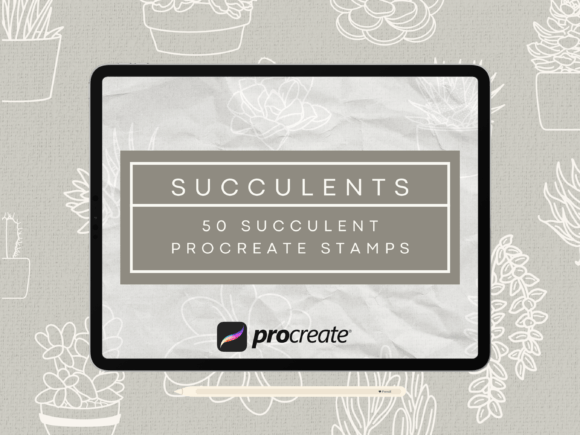
In the fast-paced world of digital design, consistency and efficiency are often the difference between a finished project and an abandoned idea. For artists using the Procreate application on iPad, the Succulent Procreate Stamp Brush Set offers a streamlined solution to integrating high-quality botanical elements into various creative workflows. Created by HalieKStudio, this collection includes 50 distinct hand-drawn succulent illustrations designed specifically as stamp brushes. Unlike traditional drawing tools that require freehand execution for every instance, these stamps allow users to place a consistent image repeatedly with a single tap or drag. This capability is particularly valuable for professionals and hobbyists alike who need to maintain visual uniformity across logos, print materials, signage, and apparel designs.
The utility of this brush set extends far beyond simple decoration. It serves as a foundational asset in the broader process of graphic design, pattern creation, and brand development. Whether you are planning a baby shower theme, designing a line of greeting cards, or creating a custom tattoo layout, having access to a reliable library of boho-style succulent images accelerates the production phase. By removing the variable of manual redrawing, creators can focus their energy on composition, color theory, and overall design strategy rather than getting bogged down in repetitive detailing.
Integrating Succulent Stamps into Your Design Workflow
Understanding where the Succulent Procreate Stamp Brush Set fits within your creative process is essential for maximizing its potential. The workflow typically begins with the conceptualization phase, where you determine the aesthetic direction of your project. If your goal is to create a cohesive look for a small business—perhaps a line of eco-friendly tote bags or a series of botanical greeting cards—these stamps provide the necessary visual anchors.
Before opening Procreate, it is helpful to gather reference materials and define the scope of your design. Once inside the application, the integration of these stamps becomes a matter of layer management and strategic placement. Because the set contains 50 different images, you have the flexibility to mix and match varieties to create depth and interest without sacrificing consistency. For example, when designing a seamless pattern for fabric or wallpaper, you might start by placing larger succulent stamps as focal points and then fill the negative space with smaller, more delicate variations from the same set. This approach ensures that the final output looks professionally curated rather than randomly scattered.
The non-pressure sensitive nature of these brushes is a critical feature for specific stages of the workflow. Since they do not react to the force of the Apple Pencil, every stamp appears with identical opacity and size (based on your brush size setting). This predictability is advantageous during the layout phase, where you need to see exactly how elements will appear in the final print or digital render. It eliminates the guesswork associated with pressure sensitivity, allowing for precise alignment and spacing, which is crucial for technical applications like logo design or signage.
Strategic Use Cases for Professional and Personal Projects
The versatility of the 50 Procreate Doodle Succulent Stamps Brush Set allows it to serve multiple roles depending on the project type. For entrepreneurs launching a new product line, such as a succulent-themed shirt or sweatshirt, these stamps act as the primary graphic element. You can arrange them in a grid, a cluster, or a repeating border to create a unique design that stands out in a crowded market. The boho-style aesthetic of the illustrations aligns well with current trends in lifestyle branding, making them suitable for social media graphics, packaging, and promotional materials.
In the realm of event planning and personal celebrations, these stamps offer a quick way to generate custom decor. Imagine organizing a succulent baby shower; instead of searching for disparate clip art or hiring a designer for basic invitations, you can use this brush set to create matching invitations, table cards, and banners. The ability to reproduce the exact same image across different mediums ensures a unified theme. Similarly, for tattoo artists or clients exploring tattoo ideas, the Procreate environment serves as a digital sketchbook. These stamps allow for rapid prototyping of tattoo sleeves or individual pieces, enabling the visualization of how different succulent shapes interact with body contours before any ink is applied.
For educators and bloggers, the set provides high-quality visuals that enhance content without requiring advanced illustration skills. A blog post about indoor gardening or a tutorial on plant care can be illustrated with these clean, hand-drawn styles, adding a professional touch that engages readers. The consistency of the images helps build a recognizable visual identity for the brand or publication over time.
Technical Considerations and Compatibility
To ensure a smooth implementation, it is important to understand the technical requirements and limitations of the Succulent Procreate Stamp Brush Set. These brushes are optimized for the Procreate application on iOS devices, specifically iPads compatible with the Apple Pencil. While the Apple Pencil enhances the user experience for general navigation and other drawing tasks, it is worth noting that these specific stamp brushes are not pressure sensitive. This means the thickness or darkness of the stamp will not change based on how hard you press; it remains constant unless you manually adjust the brush size slider.
This characteristic makes the set accessible to a wider range of users, including those who may not own an Apple Pencil or prefer a simpler interaction model. However, for optimal performance, compatibility with Procreate version 5 or newer is recommended. Older versions of the app may not support all the features or rendering qualities expected in modern digital art workflows. Before purchasing or downloading, verify your device's operating system and Procreate version to avoid compatibility issues.
Organization within the Procreate interface is another key factor for long-term usability. With 50 different images included in the set, keeping your brush library organized is essential for efficiency. Upon importing the files, consider renaming the brushes to reflect their specific shape or size category if the default names are not descriptive enough. Creating a dedicated folder named "Succulent Stamps" or "Botanical Assets" within your brush library allows for quick retrieval during active projects. This organizational step reduces friction in the creative process, ensuring that you spend less time searching for assets and more time executing your vision.
Quality Control and Long-Term Asset Management
When using digital assets for commercial purposes, such as print-on-demand apparel or signage, quality control is paramount. The Succulent Procreate Stamp Brush Set provides high-resolution vector-like clarity in raster format, but the final output quality depends on your canvas settings. Always ensure your Procreate canvas resolution is set appropriately for your intended medium. For print projects, a DPI of 300 or higher is standard to prevent pixelation when the design is scaled up. Since these are stamp brushes, scaling them too large beyond their native resolution can result in jagged edges, so it is advisable to work at the correct scale from the beginning or use the "Resize" feature carefully.
Long-term use of these assets involves building a personal library of reusable elements. As you complete projects, save successful arrangements or color variations of these succulents as templates. Over time, this creates a robust resource bank that significantly speeds up future work. For instance, if you design a successful greeting card layout today, saving that file structure allows you to swap out just the background or text while retaining the succulent arrangement for next year's holiday season.
Furthermore, understanding the licensing and usage rights of the downloaded files is a critical part of the procurement process. While the description indicates these are made for Procreate, always review the terms of use provided by HalieKStudio regarding commercial redistribution. Ensuring compliance protects your business and respects the intellectual property of the creator.
Optimizing Efficiency Through Process Planning
The true value of the Succulent Procreate Stamp Brush Set lies in how it transforms the planning and execution phases of a project. In a traditional workflow, creating a pattern might involve hours of drawing each leaf and petal individually to ensure symmetry. With this tool, the process shifts from creation to curation. You plan the layout, select the appropriate stamps, and execute the placement. This shift allows for rapid iteration; if a design doesn't feel right, you can instantly move, rotate, or replace a stamp without redrawing it.
For freelancers and small business owners, this efficiency translates directly to profitability. Faster turnaround times mean you can take on more clients or launch products more quickly. The ability to produce consistent, high-quality botanical imagery without specialized drawing skills lowers the barrier to entry for complex design tasks. Whether you are creating a logo for a local nursery or designing a pattern for a home decor line, the Succulent Procreate Stamp Brush Set acts as a force multiplier, amplifying your creative output while maintaining professional standards.
Ultimately, integrating these tools into your routine requires a mindset shift from "drawing everything from scratch" to "assembling and refining." By leveraging the 50 hand-drawn succulent images, you can focus on the bigger picture of your design goals. From the initial concept to the final export, this brush set supports a workflow that values both speed and aesthetic integrity, making it an indispensable asset for modern digital creators.