Procreate Watercolor Brush Set for Designers
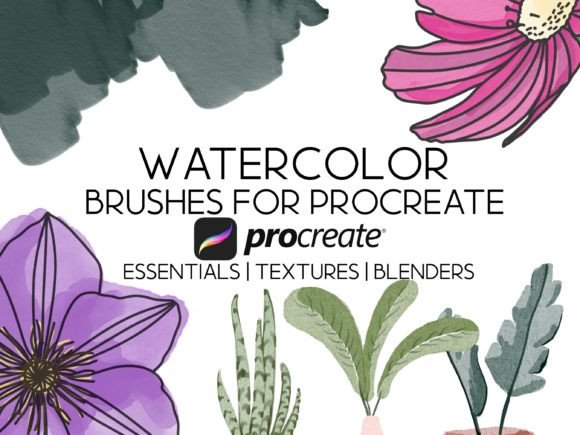
Imagine transforming a sterile digital canvas into a vibrant, textured masterpiece with the simple stroke of an Apple Pencil. For graphic designers and visual creators seeking to bridge the gap between traditional artistry and modern digital efficiency, the right tools are essential. The Procreate Watercolor Brush Set by HalieKStudio offers exactly this transformation, providing a sophisticated toolkit that elevates your design workflow on the iPad Pro. With 28 Custom Procreate Watercolor Brush set options, including specialized blenders and texture brushes, this collection is engineered to mimic the fluid dynamics of real watercolor paints while maintaining the precision required for professional graphic design.
Elevating Visual Communication with Digital Textures
In the realm of modern aesthetics, flat vector graphics often lack the emotional depth that organic textures provide. Incorporating realistic brush strokes can significantly enhance user engagement and create a more memorable brand identity. This specific brush set is designed after real watercolor brushes, allowing you to replicate the unpredictable beauty of wet-on-wet techniques, dry brush effects, and pigment pooling directly within the Procreate application. Whether you are working on editorial design or social media graphics, these pressure-sensitive brushes respond intuitively to your touch, ensuring that every mark feels authentic and intentional.
Practical Applications Across Design Disciplines
The versatility of this 28-brush collection extends far beyond personal illustration. It serves as a powerful asset for various professional applications where visual hierarchy and unique style matter:
- Branding and Logo Design: Introduce hand-crafted elements to logo concepts to convey warmth, creativity, and approachability, distinguishing your clients from competitors using standard geometric shapes.
- Packaging Design: Create premium labels for food, beverage, or cosmetic products where natural ingredients are highlighted through organic, watercolor-inspired imagery.
- Web and UI/UX Design: Use subtle watercolor accents in hero sections or background patterns to soften rigid interfaces and improve the overall user experience with a human touch.
- Marketing Materials: Develop eye-catching brochures, posters, and digital ads that stand out in crowded feeds by leveraging the rich color palette and texture capabilities of these custom brushes.
- Merchandise and Print Design: Translate digital artwork seamlessly to physical goods like t-shirts, mugs, and stationery, knowing the textures will print with high fidelity.
Optimizing Your Creative Workflow
For designers managing complex projects, efficiency is paramount. This set is best compatible with Procreate 5 or newer, ensuring stability and full feature access on iOS devices. The inclusion of dedicated blender brushes streamlines the process of mixing colors digitally, eliminating the need to manually sample and layer multiple times. This not only speeds up your design workflow but also allows for rapid prototyping of visual styles during client presentations.
When integrating these creative assets into a broader brand system, consistency is key. While the organic nature of watercolor is inherently variable, the structured approach of the HalieKStudio set allows you to maintain control over your visual output. You can establish a cohesive look across different touchpoints by defining specific brush settings for primary brand interactions and reserving more experimental textures for secondary marketing collateral. This balance ensures that your brand identity remains strong while still feeling fresh and dynamic.
Tips for Professional Results
To maximize the impact of the 28 Custom Procreate Watercolor Brush set, consider the following strategies:
- Layer Management: Utilize separate layers for base washes and detailed textures to maintain editability throughout the project lifecycle.
- Color Theory Integration: Pair the organic brush strokes with a carefully curated color palette that aligns with your client's brand guidelines to ensure readability and visual harmony.
- Typography Pairing: Balance the fluidity of watercolor backgrounds with clean, legible typography to prevent visual clutter and maintain a clear message hierarchy.
- Scalability Checks: Always review how the textures hold up when scaled down for mobile screens or up for large-format prints to guarantee quality across all mediums.
Ultimately, the choice of design assets defines the quality of your final output. By incorporating a high-quality tool like the Procreate Watercolor Brush Set into your arsenal, you empower yourself to create work that is not only visually stunning but also strategically effective. These custom-made brushes transform the iPad into a studio-grade instrument, enabling designers to craft compelling narratives that resonate with audiences. Embrace the fusion of technology and tradition to unlock new possibilities in your creative projects, ensuring that every piece you produce reflects professionalism, innovation, and artistic excellence.